See Byvano in action on a Shopify store
Explore “Lumière Boutique” — a demo Shopify store with Byvano shoppable videos. Click videos, browse products, and experience the full shopping flow.
▶Launch Demo Store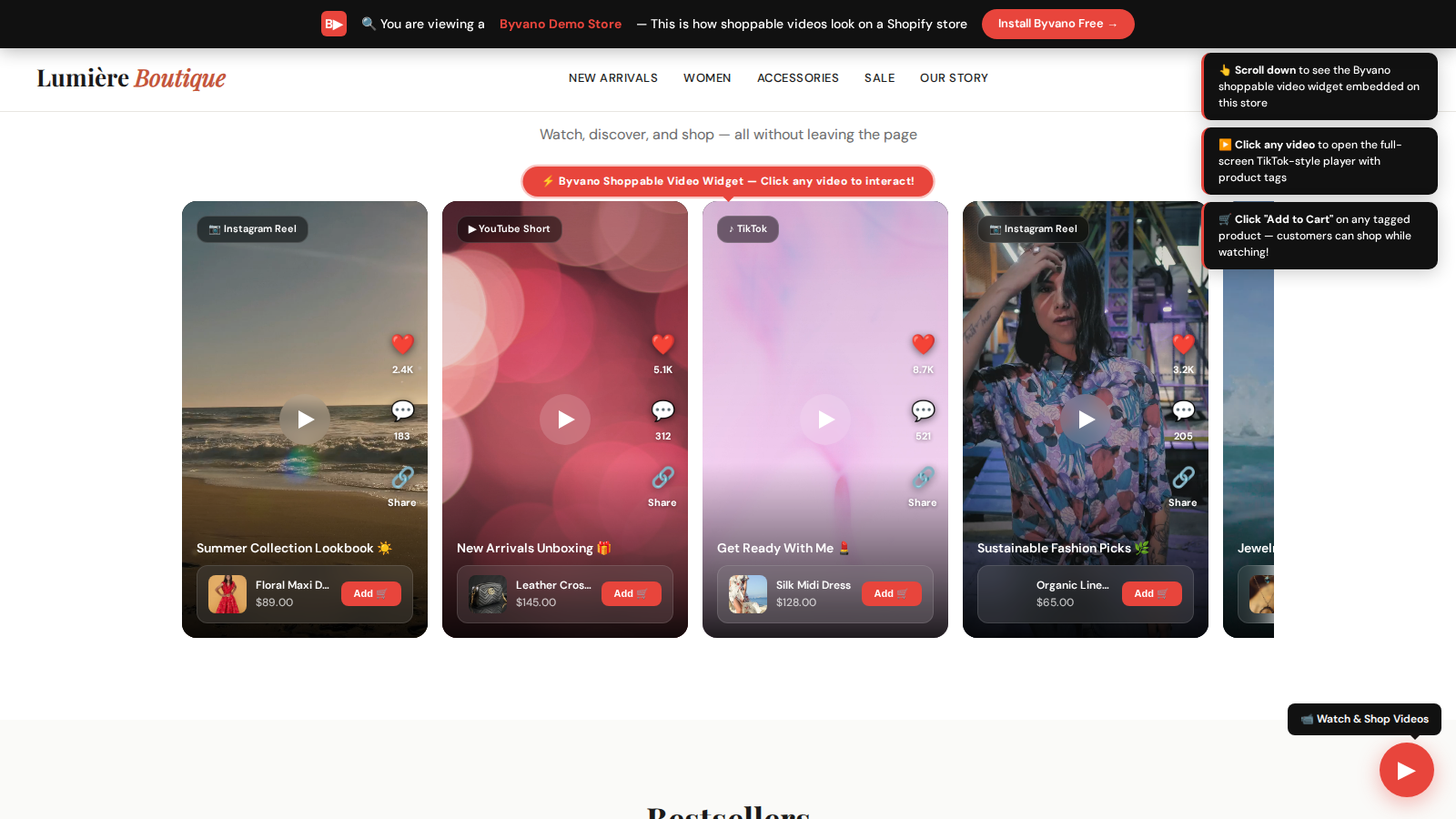
What you'll experience
Every feature in this demo is available with Byvano on Shopify
Video Carousel Widget
Horizontal scrollable carousel with Reels and Shorts — embedded right on the homepage.
In-Video Product Tags
Each video shows tagged products with name, price and a Shop button — customers shop while watching.
Full-Screen Player
Click any video to open an immersive TikTok-style player with swipe navigation and social actions.
One Tap to Shop
Tap Shop on a tagged product and go straight to it — no searching the catalogue.
Multi-Platform Sources
Videos from Instagram and YouTube (and TikTok when connected) in one widget.
Multiple Layouts
Carousel, grid, stories circles, or floating bubble — choose the layout that fits your store design.
Ready to add shoppable videos to your store?
Get started for free. No credit card required.
What to look for in the demo
The demo store is a real Shopify storefront running a real Byvano widget, not a video recording of one. Everything you can click, a shopper on your store could click too.
- Open a product page and scroll to the video carousel — note that it sits below the gallery, where it acts as closing evidence rather than competing with the product images.
- Tap a product while a video is playing. The tag carries the product name and price from the catalogue, and Shop takes the shopper straight to it.
- Try it on your phone. Most storefront video is watched on mobile, and the vertical format is why social-native creative outperforms studio product film here.
- Watch the page load. The widget is asynchronous and defers video until it scrolls into view, so it should not delay anything above the fold.
What the demo cannot show you is the part that matters most over time: measurement. On your own store, each video reports views, plays and tag clicks — which is how you find out that the thirty-second clip someone shot on a phone gets more clicks than the launch film.
How this maps onto your store
The demo is running the carousel widget on a product page because that is the placement to start with — highest intent, easiest to read in the data. Three other formats are available and each has a job.
Carousel
Product and collection pages. Shows several videos in a fixed vertical footprint, so it adds evidence without pushing your add-to-cart button below the fold.
Grid
A dedicated video page or the bottom of a long product page, where the shopper has already committed to reading.
Stories
Circular thumbnails opening a full-screen tap-through player. Strong near the top of mobile pages.
Floating
A persistent dismissible bubble. Effective for one campaign; counterproductive as a permanent fixture, because it ends up competing with your own product pages.
All four are placed through the Shopify theme editor as Online Store 2.0 sections — drag-and-drop, no Liquid edits, and nothing orphaned in theme.liquid when you remove them.